Are you looking for a new digital signage solution? Or maybe you are just starting and need to know the basics. Either way, you are at the right place. We have prepared an overview of the top options on the market, plus a pros and cons list for each. Find our ranking of the best digital signage software solutions in the table below:
|
Digital Signage Platform
|
Key Highlight
|
Rating
|
Overview
|
|
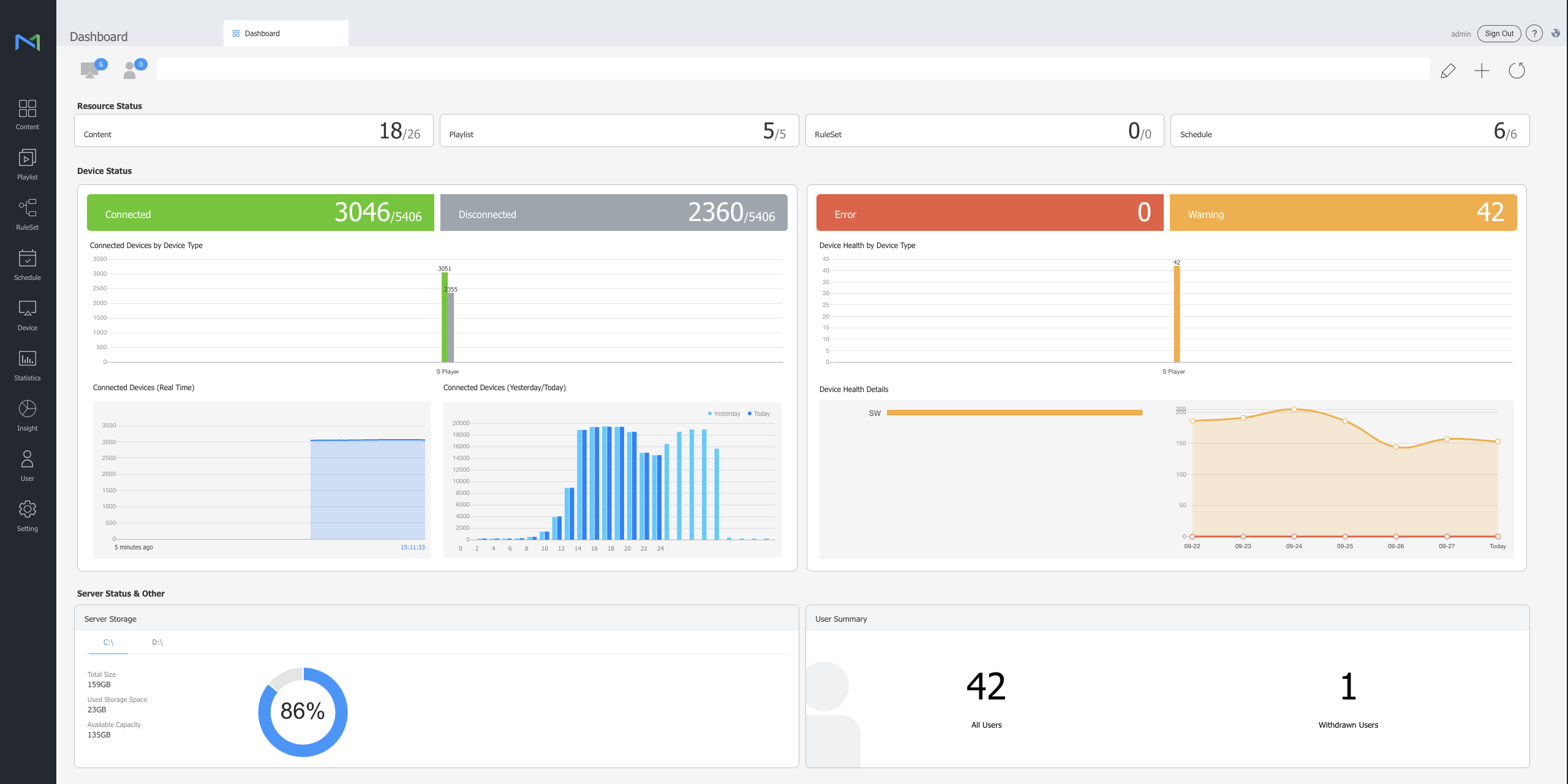
MagicINFO
|
Cloud and on-premise solution
|
9.5/10
|
Click here
|
|
TDM Digital Signage
|
Advanced scheduling
|
9.5/10
|
Click here
|
|
Samsung VXT
|
AI-powered content generation
|
9.5/10
|
Click here
|
|
Scala
|
Shareable preview of designs
|
9.3/10
|
Click here
|
|
LG SuperSign
|
Offers a range of additional solutions
|
9.2/10
|
Click here
|
|
OptiSign
|
Audience insight AI add-on
|
9.1/10
|
Click here
|
|
OnSign TV
|
Drag-n-drop content tool
|
8.9/10
|
Click here
|
Each of the above-mentioned digital signage solutions is secure and legitimate. As experts in the field, we created a list of the leading companies in the industry. To help you with the decision, we have prepared a little something. Choose the digital signage solution that suits your business goals the most by following the below steps:
Step 1: Identify your business goals
Step 2: Identity which goals can be achieved with the help of digital signage
Step 3: Identity what digital signage feature you need to achieve your goals
Step 4: Select the top digital signage solution that compliments your business plan the most
Step 5: Book an appointment with a representative of your preferred digital signage solution
Step 6: Start using the software that suits your business the most
Disclaimer: Before we move further with our piece, it is important to note that we are affiliated with MagicINFO as the official distributor of the software. While we are all huge fans of the solution, we know that there are other top-rated digital signage software companies out there. Hence, we took the extra time to prepare this article.
Top digital signage software solutions
MagicINFO
The South Korean tech giant, Samsung, has been working on MagicINFO since 2008. Over the years, the company has been improving its digital signage software solution to offer clients what they need. Organizations from all over the world use MagicINFO to reach their digital signage goals and improve their business.
SMEs like family-owned businesses, large international companies like Yamaha, and everything in between trust MagicINFO. Although it is one of the best digital signage software solutions it has pros and cons. In the table below, we have listed the main advantages and disadvantages of MagicINFO:
|
Advantages
|
Disadvantages
|
|
✅ Cloud and on-premise solution
|
✅ Built-in player
|
✅ Remote management
|
❌ Not compatible with WebOS
|
|
✅ Multi-award-winning software
|
✅ Content creation tool
|
✅ Scheduling options
|
❌ Not compatible with Android devices
|
MagicINFO is a preferred choice for many organizations because of its versatile features. Arguably, the most desirable one is remote management which allows you to control your devices from one central location. Another unique feature of MagicINFO is its content creation tool, Web Author.
On top of that, we (MagicInfo Services) are official distributors of MagicINFO and are passionate about this solution. As a knowledge partner, we offer MagicINFO widgets and API integrations. Despite its perks, MagicINFO has its limitations, and the biggest is that it’s not compatible with all operating systems on the market.
TDM Digital Signage
TDM Digital Signage offers a complete software package for digital signage, designed to help companies communicate with their audience through screens. Its platform is a way to manage design, content, and broadcast frequency from one place. Clients enjoy ease of use, service, support, and software development. Founded and developed in the Netherlands, the brand has been operating globally for over a decade.
TDM Digital Signage serves a wide range of sectors, including education, healthcare, retail, hospitality, production, government, nonprofit, and culture. The platform is built for organisations that want to share practical information such as schedules, promotions, opening hours, safety protocols, wait times, events, volunteer updates, or educational videos with specific audiences. Check out the TDM Digital Signage advantages and disadvantages below:
|
Advantages
|
Disadvantages
|
|
✅ Easy template creation
|
✅ Content scheduling
|
✅ 30-day free trial
|
❌ Some features need higher plans
|
|
✅ Ready-made templates
|
✅ Many connected apps
|
✅ Support and training available
|
❌ Windows players start from Small Business
|
One clear benefit of TDM is its focus on ease of use. Users can create their own templates or work with ready-made templates, upload photos and videos, add YouTube content, and schedule what appears on different screens. The platform includes functions such as monitoring, users and groups, scheduling, IP control, touch, alerts and evacuation, room booking, and templates.
TDM Digital Signage also supports connected apps, including news, traffic information, weather, public transport information, Office 365 and G Suite calendars, Power BI, social media, and Dropbox, among others. For businesses that want to keep screen content current with connected information sources, these integrations can be useful.
Samsung VXT
Samsung VXT is a cloud-based digital signage solution from Samsung Electronics. The electronics giant announced VXT in January 2024 as the next evolution of MagicINFO, designed for content creation and management across B2B displays, including LCD, LED signage, and The Wall.
Samsung VXT is built for business display networks that need content management and remote display management in one platform. This solution is suitable for nearly any industry, and its business pages reference use cases in areas such as corporate, education, retail, and hospitality. Check out the Samsung VXT advantages and disadvantages below:
|
Advantages
|
Disadvantages
|
|
✅ Cloud-based platform
|
✅ Remote display management
|
✅ Samsung and non-Samsung hardware support
|
❌ No on-premise option (yet)
|
|
✅ Content scheduling
|
✅ Free trial available
|
✅ 6-digit device pairing
|
❌ VXT apps may cost extra
|
Arguably, Samsung VXT's biggest benefit is that it combines content creation, scheduling, screen management, and remote device management in one secure cloud-based platform. Users can create content with VXT Canvas, choose from templates and images, create playlists, schedule content, and manage screens from a central location.
It also supports Samsung and non-Samsung devices, uses a simple 6-digit pairing code for device registration, and allows software deployment and updates directly through the cloud portal.
Scala
Scala is one of the leading digital signage companies and has been on the market for over 30 years. In 2016, the company was acquired by STRATACACHE, another leading signage business. After the merger, Scala had the resources to offer digital signage software and hardware, as well as high-quality support services.
The company works in a wide range of industries including, but not limited to, retail, QSR, transportation, finance, corporate, and government. It works with household brand names like LEGO, Argos, and Debenhams Beauty Bar because it offers one of the best digital signage players. Here are the main Scala advantages and disadvantages:
|
Advantages
|
Disadvantages
|
|
✅ Sharable preview of designs
|
✅ API integrations and widgets
|
✅ User-friendly interface
|
❌ Not compatible with TIZEN
|
|
✅ Device management
|
✅ Content creation tool
|
✅ Easy deployment
|
❌ Not compatible with WebOS
|
With Scala, users can take advantage of a sharable preview of designs. Moreover, the software allows for easy deployment of a digital signage network with API integrations and widgets. It’s hard to say companies in which industries will benefit the most from Scala. In our opinion, retail, transportation, and QSR, business might see the most value.
However, organizations in other sectors can benefit from Scala. As a leading digital signage solution that has been on the market for a long time, there are very few things that need improving. For example, Scala is not compatible with WebOS and TIZEN devices at the moment.
LG SuperSign
LG SuperSign is next in our ranking of the top digital signage solutions on the market. The software was developed by the leading electronics manufacturer, LG Electronics. Like Samsung, this tech giant also produces digital signage displays compatible with its software. Businesses from across the globe trust LG SuperSign for their digital signage needs.
This top-rated digital signage software is suitable for a wide range of industries, such as retail, education, healthcare, fitness, and media, to name a few. Today, you can see LG digital signage displays worldwide. So, we did our research and came up with a list of LG SuperSign pros and cons to help you decide if its the right fit for your business:
|
Advantages
|
Disadvantages
|
|
✅ Content management system
|
✅ LG SuperSign Cloud
|
✅ Editor features
|
❌ Not compatible with all digital signage devices
|
|
✅ Separate solution for QSR
|
✅ Scheduling options
|
✅ Remote control features
|
❌ Not compatible with TIZEN
|
One of the most widely used content management systems (CMS) on the market is LG SuperSign. Users can share, edit, and schedule content with its assistance. It is fantastic software for complex and extensive digital signage operations. One of its most significant benefits is the simplicity of content generation and distribution.
Developed by one of the biggest electronics manufacturers in the world, LG SuperSign is a promising digital signage solution. It offers a great range of features that are suitable for a variety of organizations. However, LG SuperSign has limitations like every other software on our list, namely, it is not compatible with all operating systems.
OptiSign
The next software in our list of the top digital signage solutions on the market is OptiSign, founded in 2016. This US-based company offers digital signage software and hardware solutions to businesses and non-profit organizations. Today, it has over 6,000 clients across the world.
OptiSign helps customers in a range of industries like retail, education, healthcare, fitness, and media, to name a few. Some of the popular brands that use this software are Apple, Uber, and Pepsico. We did our research and came up with a list of OptiSign pros and cons:
|
Advantages
|
Disadvantages
|
|
✅ Discount for non-profits
|
✅ Downloadable player
|
✅ Free content templates
|
❌ No licenses options
|
|
✅ Audience insight AI add-on
|
✅ Scheduling options
|
✅ Real-time playback report
|
❌ Not compatible with TIZEN
|
OptiSign is a comprehensive digital signage solution, which is why it’s on our list. Users can easily download the software on their devices and set up a network. Moreover, the company offers over 500 free content templates that SMEs and enterprises can use.
This US-based digital signage solution also provides discounted rates for non-profits, a huge perk for organizations with limited resources. OptiSign is also an excellent option for corporations. Despite all that, some things could be a potential dealbreaker for some of you, like the fact that the company does not offer licensing agreements.
OnSign TV
OnSign TV has been on the market since 2012 and, in 2015, released its digital signage solution with the same name. The company is incorporated in Hong Kong, while the main development team is in South America. OnSign TV works with clients from over 100 countries whose digital signage networks have between 1 to 1,000 displays.
This software developer boldly claims that it is a professional digital signage platform that anyone can use. Plus, OnSign TV is suitable for small organizations as well as large international companies. To help you decide if it’s a good fit for your company, we have prepared OnSign TV’s advantages and disadvantages:
|
Advantages
|
Disadvantages
|
|
✅ Downloadable player
|
✅ Content playback report
|
✅ Drag-n-drop content tool
|
❌ No licenses options
|
|
✅ Device management
|
✅ Playlist feature
|
✅ API integrations
|
❌ Not compatible with TIZEN
|
OnSign TV is a reliable and user-friendly digital signage solution. A unique feature of the software is its real-time monitoring system, which makes it simple to control any display from one central location. Users can also use API integrations and playlist features to optimize their content creation process.
This digital signage solution can be used in industries like corporate TV, quick service restaurants (QSR), hospitality, finance, transportation, and more. OnSign TV is a very good option for businesses, yet it has its limitations. For instance, the software does not work on TIZEN devices.
Samsung Smart Signage Platform (SSSP) and Samsung Remote Management
We cannot talk about the best digital signage software solutions without mentioning SSSP and Samsung Remote Management (RM). Signage displays by this Korean company are compatible with the remote management tool which allows you to monitor and control the devices from one central location.
MagicINFO Premium users can take advantage of the RM tool as part of their deal. However, if MagicINFO is not the best fit for your business, you can use Remote Management with a different content management system (CMS). As a result of using this tool, your business will save miles, time, and money.
Best digital signage solutions - Final thoughts
We have reached the last part of our ranking of the best digital signage solutions on the market. You may have noticed that we have not listed them in a specific order because we want you to find the one that suits you most, not point you to the one we prefer.
On that note, we must stress that all of the above-mentioned solutions are world-class digital signage systems. Of course, some are better suited for SMEs, while others are perfect for international corporations. We recommend you outline your goals first. Then, select a digital signage solution to match them.
Popular questions about the top digital signage software solutions
We did our best to provide you with all the necessary information about each brand so that you can make an informed decision. That’s not all, we decided to go one step further and prepare answers to the most popular questions about the top digital signage software solutions.
Question 1: What is the best digital signage software for enterprises?
All of the names in our list of the best digital signage solutions are suitable for enterprises. However, only one is a multi-award-winning software, and that is MagicINFO. Most recently, this Samsung solution won the prize for the most comprehensive digital solution.
Question 2: Which are the best digital signage software solutions?
Some of the best digital signage software solutions are MagicINFO and LG SuperSign. Other popular options include OptiSign, OnSign TV, and Scala. Each of these secure and trusted digital signage players has something to offer to small and medium businesses as well as corporations.
Question 3: Which is the top digital signage software for SMEs?
It is hard to determine which of the top digital signage solutions is best for SMEs because businesses have different needs. In our opinion, OptiSign is a very good fit because it offers discounted rates for non-profit organizations and free customizable templates. MagicINFO is a great alternative to OptiSign because of its user-friendly interface and affordability.